


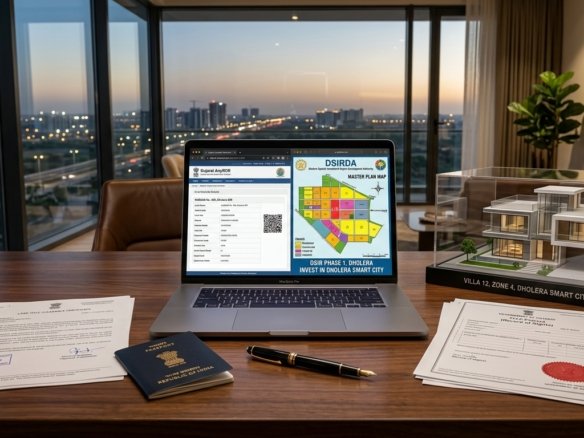
Whether purchasing an entry-level residential plot in Town Planning Scheme 2 or acquiring multi-acre commercial acreage along Dholera’s expressway corridors, verifying the property’s chain of title through the Gujarat Revenue Department’s AnyROR (Any Records of Rights) portal is mandatory.
A physical sale deed or attractive brochure holds zero legal validity if the seller’s name, land tenure classification (Old Tenure vs. New Tenure), and Non-Agricultural (NA) order are not officially updated in the government land revenue archives (e-Dhara system).
This exhaustive 2026 operational guide provides buyers with a step-by-step tutorial for accessing certified 7/12 extracts online, interpreting Village Form entries, cross-referencing Town Planning Final Plots (FPs), and detecting critical legal encumbrances.
> [!IMPORTANT] > Statutory Record Verification Advisory: While AnyROR provides digital viewable extracts, formal property conveyances in Gujarat require obtaining a certified physical or digitally signed copy (with QR code) from the e-Dhara center or Revenue Talati. All transactions must adhere to official Gujarat Revenue Department Jantri circle rates. Review our complete Dholera Plot Price 2026 Zone-Wise Analysis for macro-valuation benchmarks.
Anatomy of Gujarat Land Records: Understanding 7/12, 8A & VF-6
Gujarat’s land revenue framework relies on three interconnected documents maintained at the village revenue office (Talati-cum-Mantri):
“` Village Form 7 (Pahani Patrak) ──► Primary Land Ownership, Survey Number, Total Area & Tenure Type Village Form 12 (Pik Patrak) ──► Crop Cultivation History OR “Bin-Kheti” (NA) Non-Agricultural Status Village Form 8A (Khata Vahi) ──► Consolidated Landholding Account Number (Khata) of the Owner Village Form 6 (Hakkarak Nondh) ──► Chronological Ledger of all Title Transfers, Mutations & Bank Liens “`
1. Village Form 7 (VF-7)
Details the legal status of the land parcel: * Survey / Block Number: The unique geographical identifier of the revenue parcel. * Tenure Classification: Identifies whether the land is Old Tenure (Juni Sharat / Freehold) or New Tenure (Navi Sharat / Restricted). * Registered Khatedar (Owner): The legal titleholder whose name appears on state records.
2. Village Form 12 (VF-12)
Historically recorded agricultural crops, trees, and irrigation wells. For smart city plots in Dholera SIR, VF-12 is critical because it records the formal Bin-Kheti (Non-Agricultural) order entry, proving that the land is legally authorized for residential or commercial construction.
3. Village Form 6 (VF-6 / Hakkarak)
The most critical historical document for fraud detection. Every sale deed, inheritance succession, partition, gift deed, or bank loan mortgage is assigned a sequential Mutation Entry Number (Nondh Number) in VF-6.
Step-by-Step Tutorial: How to Check 7/12 Utara Online on AnyROR
The Government of Gujarat provides 24/7 public access to digitized land records at `anyror.gujarat.gov.in`. Follow this verified workflow:
“`mermaid
flowchart TD
A[“Step 1: Open Official Portal
(anyror.gujarat.gov.in)”] –> B[“Step 2: Select ‘View Land Record – Rural’
(Choose 7/12 AnyROR Query)”]
B –> C[“Step 3: Select Administrative Hierarchy
(District: Ahmedabad / Taluka: Dholera)”]
C –> D[“Step 4: Select Village & Input Survey Number
(e.g., Sangasar, Navagam, Otariya, Kadipur)”]
D –> E[“Step 5: Solve Captcha & View Digital 7/12
(Download certified e-Dhara Record of Rights)”]
“`
1. Step 1: Access the AnyROR Portal
Navigate to the official Gujarat Revenue Department portal at `https://anyror.gujarat.gov.in`.
2. Step 2: Choose Record Category
On the home screen, select “View Land Record – Rural” (Dholera SIR villages are administered under Ahmedabad Rural revenue divisions).
3. Step 3: Select Query Type
From the dropdown menu, select “VF-7 Survey No Detail” to view the 7/12 extract, or “VF-6 Entry Details” to view historical mutation entries.
4. Step 4: Geographic Filtering
Input the specific revenue jurisdiction: District: Ahmedabad* Taluka: Dholera (or Dhandhuka* for older historical archives) Village: Select your target revenue village (e.g., Sangasar, Navagam, Kadipur, Otariya, Buranpur, Bavliyari*).
5. Step 5: Input Survey Number & Generate Document
Enter the Revenue Survey Number or Block Number. Enter the automated captcha code and click “Get Record Detail.” The complete digital 7/12 extract will render instantly on screen.
Critical Red Flags to Watch for on a Dholera 7/12 Extract
When reviewing a 7/12 document provided by a property developer or seller in Dholera SIR, inspect these specific legal checkpoints:
“` [X] Red Flag 1: “Navi Sharat” (New Tenure) Notation: New Tenure land cannot be sold or transferred without prior written permission from the District Collector and payment of substantial government premium. Insist on “Juni Sharat” (Old Tenure) or finalized NA order.
[X] Red Flag 2: Active “Boja” (Bank Mortgage / Government Lien): Look at the “Other Rights” (Bija Hakko) column on Form 7. If an agricultural crop loan, private mortgage, or cooperative bank charge is listed, the land cannot be registered until a formal No-Dues Certificate (NOC) and cancellation mutation entry are completed.
[X] Red Flag 3: Unmutated Tenancy (Ganot Mukti) Claims: Verify that Section 43/63 tenancy restrictions under the Gujarat Tenancy Act have been formally extinguished by a competent revenue officer.
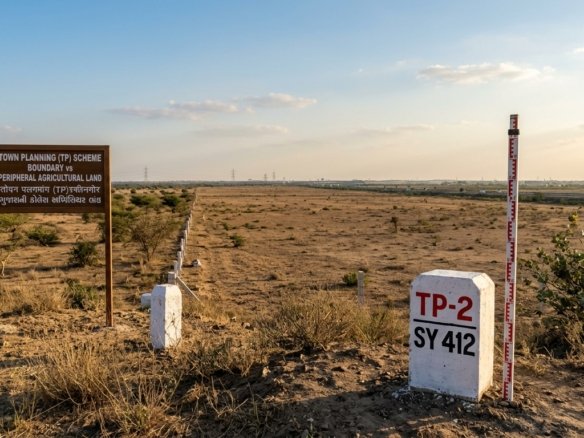
[X] Red Flag 4: Unfinalized Original Plot (OP) vs Final Plot (FP): In Dholera SIR Town Planning schemes, ensure the developer is conveying a reconstituted Final Plot (FP) with an assigned TP number, rather than an unpooled Original Plot (OP) subject to 40%–50% government infrastructure deduction. “`
Inspect sector boundaries and village cadastral maps via our Dholera SIR Boundary Map & Master Layout Guide.
Mapping Revenue Survey Numbers to Town Planning Final Plots (FP)
In Dholera SIR, land ownership transitions from traditional revenue survey numbers to Town Planning Final Plot (FP) numbers:
“` Traditional Revenue System (AnyROR): Survey Number 145/P (Raw Agricultural Land — 10,000 sq. meters) │ ▼ [GTPUDA Town Planning Scheme Pooling Process] Reconstituted Smart City Final Plot: Final Plot (FP) No. 42, TP-2 West (Fully serviced residential plot — 5,500 sq. meters with 18m road) “`
To cross-verify a property: 1. Obtain the Town Planning F-Form (Reconstitution Register) from the developer or DSIRDA. 2. Confirm that the Original Survey Number on your AnyROR 7/12 matches the allotted Final Plot (FP) number on the sanctioned Town Planning map. 3. Ensure the sale deed explicitly mentions both the Revenue Survey Number and the sanctioned Final Plot (FP) number.
For 100% pre-verified, clear-title NA plots with authentic 7/12 records and certified Final Plot allocations, explore our Dholera Plot Listings & Verified Land Assets.
Frequently Asked Questions (FAQs)
What is the 7/12 extract in Gujarat?
The 7/12 extract (Satbara Utara) is the primary digital record of rights (RoR) maintained by the Gujarat Revenue Department. Village Form 7 records land ownership, survey numbers, and tenure, while Village Form 12 records crop cultivation or Non-Agricultural (NA) reclassification status.Can I download a certified 7/12 Utara online in Gujarat?
Yes. You can view viewable copies for free on the AnyROR portal (`anyror.gujarat.gov.in`). Digitally signed, certified copies with official QR codes can be downloaded through the Gujarat e-Dhara / iORA portal upon payment of a nominal statutory fee of ₹5 to ₹10.What is Village Form 6 (Hakkarak Nondh) and why is it important?
Village Form 6 is the official register of mutations. It documents the entire historical chain of title transfers, inheritance successions, partitions, bank mortgages, and government orders affecting a land parcel over its 30+ year history.How do I check if a plot in Dholera SIR has NA permission?
Inspect Village Form 12 on the AnyROR portal. If the land has been legally converted, the cultivation column will state “Bin-Kheti” (Non-Agricultural) along with the Collector’s official NA Sanad dispatch number and mutation entry number.Which taluka should I select on AnyROR for Dholera smart city land?
Select District as “Ahmedabad” and Taluka as “Dholera.” For older historical records prior to the creation of Dholera taluka, some village archives may be indexed under “Dhandhuka” taluka.Download Dholera SIR 2026 Investor’s Kit
Get instant access to the official planning documents: Dholera Investment Handbook (PDF), 2026 Land Price List, TP Zone & Village Map, and the NRI Buying Guide.


Join The Discussion